TL;DR: Start with one clear app action, then test three hooks across six short videos and measure activation, not views alone. Founder footage is enough at first, or you can use Wade to combine a recurring AI character with your screen recording in hook-plus-demo videos. Once a pattern works, you can hire creators with a clearer reason for doing it.
AI UGC is creator-style video made partly or entirely with AI, and for a consumer app, its most useful job is producing cheap hook variations around real screen footage. That keeps production lighter, but it cannot fix unclear onboarding, an invisible payoff, or an app people stop using.
Use AI UGC after you can show one valuable app result on screen in about ten seconds.
AI UGC is a production layer, not the strategy
UGC means user-generated content, although most app UGC is commissioned creator-style content rather than something a customer made spontaneously. AI can handle the face clip, captions, or editing, which saves production work, but you still need to choose the right pain, app action, and audience.
- Hook: the opening text or moment intended to stop someone scrolling.
- Demo: the exact taps showing the app produce a result.
- Payoff: the visible result the viewer receives.
- CTA: the final instruction, such as searching for the app.
Common advice treats AI UGC as a cheap human replacement, but that gets the order backwards because a founder still has to discover what people care about. AI only reduces production work after the hook and demo make sense, and app founders also say the format simply does not fit every product.
Your app must be ready to record
The action you choose should have a visible before and after, because viewers need to understand the payoff without much explanation. Good candidates include removing an object from a photo, turning notes into flashcards, finding a meal, or producing a shareable result. A background utility with no visible change will need founder explanation before it needs an AI presenter.
- Create a demo login with premium access enabled.
- Load believable fake data and remove personal information.
- Dismiss onboarding, permission prompts, and update banners.
- Write the intended tap sequence in five steps or fewer.
- List screens and claims that must never appear.
- Record a clean vertical screen capture without pauses.
Your recording should run for 8 to 12 seconds, starting immediately before the first meaningful tap and stopping when the result appears. If the result needs a paragraph of explanation, the recorded action is probably too complicated, so simplify it or use founder-led video until viewers understand the product.
Test six AI UGC videos around one action
You do not need 30 videos yet because the first goal is to learn whether a hook works. Make three hooks, then produce each hook in two versions: one founder or simple text-led cut, and one AI creator cut. Keep the demo, duration, caption, and publishing account as similar as possible so the comparison stays useful.
I was still [painful task] manually until I tried this POV: [desired result] takes 12 seconds now If you use [old method], watch what happens here
A script does not need to become a product tour. Keep it to 15 to 20 seconds: two seconds for the hook, three seconds naming the problem, up to twelve seconds of screen footage, then a short instruction. The hook should be burned into the video, meaning it is placed permanently on screen.
0–2s: [HOOK TEXT] 2–5s: I kept [doing painful task], so I tried this. 5–15s: [SHOW THE EXACT TAPS WITH STEP CAPTIONS] 15–18s: That gave me [VISIBLE RESULT]. Search [APP NAME] to try it.
For a clean first test, post one video daily for six days on your strongest account. You can reuse the clean export on TikTok, Reels, and Shorts, but compare each platform separately because their results are not interchangeable. Turn on TikTok’s promotional-content disclosure, and disclose meaningfully AI-made footage on YouTube.
Choose the production route after the hook works
The cheapest route is usually the right place to start because you only need to answer the current question. Before you know whether the hook works, that usually means filming yourself or generating a text-over-face AI version. Human creators become useful later, when delivery, identity, or distribution is the variable you need to test.
| Route | Best use | Founder supplies | Wrong choice when |
|---|---|---|---|
| Founder-led | Finding the first hook | Face clip and demo | You need repeatable volume |
| Wade AI creator | Repeating proven organic formats | App screen recording | You need spoken dialogue |
| Generic spoken avatar | Testing narration | Script and demo | Human nuance is central |
| Human creator | Testing personality or creator distribution | Brief, access, and tracking | The hook remains unproven |
Human app-video prices are fragmented, so there is no single clean benchmark. Hiring posts have offered $20 per clip, $45 to $100 plus bonuses, and $100 for three videos, while a creator advising startups put newer creators at $150 to $300. For a first asset-only test, meaning you receive the file but the creator does not post it, offer $75 to $125.
Creator-posted distribution costs more because you are buying access to the creator’s audience, not just the video itself. Keep that separate from production. If you add bonuses, guarantee the base fee first and define the exact view, install, or sale threshold before filming so both sides know what triggers the extra payment.
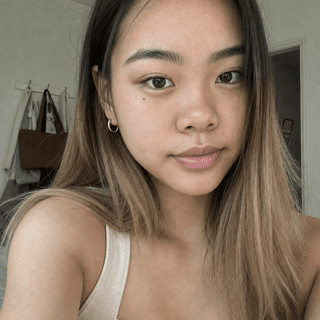
With Wade, you make one recurring AI character with a consistent face, wardrobe, and setting. Wade re-performs the face moment from a reference video, adds the hook text, then cuts in your screen recording with step captions. The character does not speak or read a script aloud.
Emma
8 generated videos
Wade takes minutes of founder time, mostly waiting, but it is the wrong option when you need voiceover, a human creator to post, or manual editing. Before choosing it, check what Wade currently charges. If you need to understand broader tool differences, you can compare AI UGC generators here.
Tool access is still changing, so recheck it before committing to volume. As of September 24, 2026, Sora has been discontinued, while HeyGen says Avatar III is no longer unlimited on newer credit plans. Tool availability and generation costs are still moving.
Measure whether the video creates active users
Give each post 48 hours before recording the result. Views tell you whether distribution happened, but they do not tell you whether viewers became useful users, which means you also need to track the path through the store and into the first meaningful action inside your app.
- Three-second viewers and average watch time
- Profile visits and store-link taps
- Installs attributed to the platform or campaign
- Activation, your app’s first valuable completed action
- Trial starts, purchases, and day-seven retention
A mobile-app operator shared floors above 60% hook rate, 40% three-second view-through, and 5% engagement. Those are one operator’s diagnostic numbers, not universal requirements. Your first decision is simpler: identify which hook produces better watch time and activated users than your other five videos.
Public Shorts views should not be compared directly with TikTok or Reels because the platforms count differently. Since August 24, YouTube counts a public view from the first frame while retaining a separate engaged-view measure. Compare retention, store visits, and activation instead.
What to do about it
One small test gives you the pattern you need before hiring creators, buying a large generation plan, or building a posting operation.
- Pick one app action with a visible result and prepare a safe demo account.
- Record one clean 8 to 12-second vertical demo.
- Write three hooks using the template above.
- Make six versions, including three hook-plus-demo cuts in Wade or another AI workflow.
- Post for six days, then continue only with hooks that improve watch time and activation.
Learn more about this topic with AI
 Ask ChatGPT
 Ask Claude
 Ask Perplexity