TL;DR: Realistic AI people, voices, scenes, and meaningful alterations generally need labels because viewers should know when AI was involved. You may also need a separate paid-promotion disclosure, since it serves a different purpose, and an AI actor should never claim personal experience. In Wade, that means labeling the recurring AI character while keeping the app screen recording real.
AI UGC videos often need labels because AI can help create a person, voice, event, or scene that still looks realistic. UGC means creator-style content that resembles a normal user post, but the exact requirement depends on the platform, how you publish, and what the AI changed.
Label realistic synthetic media, disclose commercial relationships separately, and keep claims about your app verifiably real.
AI UGC videos need labels in these cases
As of September 2026, TikTok and YouTube have clear disclosure requirements for realistic synthetic media. Meta often applies labels to work made with its own AI ad tools, but if you upload something generated elsewhere, you should not assume it will be detected or labeled for you.
| Platform | AI disclosure | Commercial disclosure | Publishing check |
|---|---|---|---|
| TikTok organic | Label realistic AI images, voices, or video, including significant edits. | Turn on content disclosure when promoting your app. | Confirm both settings on the published post. |
| TikTok ads | Set the AI status before the creative enters the ad account. | Use the normal ad identity and sponsorship controls. | Recheck duplicated ads because they can inherit the old setting. |
| YouTube Shorts | Disclose realistic, meaningfully altered, or synthetic content during upload. | Use normal sponsorship disclosure when another creator is paid. | Check the Short after processing because YouTube can add a label. |
| Instagram and Facebook Reels | Do not rely on Meta detecting an externally made AI person. | Use the paid partnership label when a creator received value. | Inspect both the Reel and any resulting partnership ad. |
A TikTok marketer managing ads found that its realistic-AI setting became mandatory on July 21, 2026. They also found that mixed assets can get flagged, including real footage with an AI voice, while duplicated ads may retain the previous setting.
- Direct upload: select the platform’s AI setting yourself.
- Scheduled upload: verify that the setting reached the published post.
- Duplicated ad: reopen the disclosure settings before submitting it.
- Cross-posted file: add disclosure again instead of trusting embedded metadata.
- EU distribution: retain the source file, generator details, edits, and export date.
Common advice tends to reduce this to a universal yes, but that misses how much the requirements vary by platform and type of alteration. More importantly, a label only tells the viewer that AI was involved, which means it does not make a fabricated testimonial acceptable.
AI and paid-promotion labels do different jobs
One video may need two disclosures because each explains something different. The AI label tells the viewer how the media was made, while the commercial label explains that the post promotes your app or that a creator was compensated, so turning on one does not replace the other.
- AI disclosure: identifies a realistic synthetic face, voice, scene, or meaningful alteration.
- Commercial disclosure: identifies advertising, sponsorship, free access, or another creator relationship.
- Claim review: checks that every result, screen, price, and user statement is true.
- Permission review: confirms you can use the creator, review, voice, music, and app footage.
When the platform control is unavailable, or when a repost could lose its original label, plain text gives the disclosure somewhere to persist. Put it in the first caption line or make it visible on-screen, because burying it after hashtags makes it easy to miss.
AI-generated presenter. Screen recording shows the real [App Name]. Paid partnership with [App Name]. AI-generated presenter.
Scripts become a problem when a synthetic person says, “I downloaded this app,” “this fixed my problem,” or “I have used it for six months.” These are personal-experience claims, so placing “AI-generated” nearby does not turn the invented experience into real customer evidence.
The app proof should stay real
For an app, the interface is usually stronger evidence than the presenter because someone deciding whether to install wants to see the onboarding, the main action, the result, and any paywall they will encounter. That is why those screens should come from a recording of the current production build.
- Keep App Store and Play screenshots current.
- Record the real onboarding flow from a clean account.
- Show the actual result produced by the app.
- Include the real paywall when price affects the promise.
- Use real notifications and retention mechanics.
- Blur names, messages, locations, and account identifiers.
AI is generally safer for captions, translation, background cleanup, alternate openings, and non-testimonial presentation. One person who ran AI UGC for six months found that the story still had to be real, even when the face was not, so they wrote scripts from one-star reviews rather than polished brand copy.
That approach also lines up with app acquisition data. AppsFlyer’s 2025 benchmark found that tutorials and app reviews beat testimonials in its Photo, Video, and GenAI category, producing 45% higher installs per thousand impressions and 17% higher Day-7 retention.
On-screen text: I kept forgetting to [task], so I changed one setting. Show: Open the real app, complete the action, and display the result. Caption: AI-generated presenter. Real in-app demonstration.
A hybrid video makes disclosure easier
A useful default is to let a synthetic face handle the opening, then use your real screen recording as the proof. The opening hook, meaning the first line that earns attention, describes a problem, and the demo shows exactly how your app handles it.
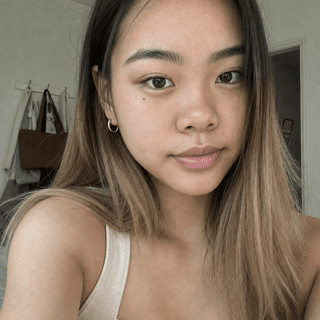
Wade uses this structure for organic TikToks, Reels, and Shorts. You create a recurring AI character with a consistent face, wardrobe, and setting, then Wade re-performs the face moment, adds the hook text, and cuts in the screen recording you supply with step captions.
Emma
8 generated videos
The character does not read a script aloud, and making a video takes minutes of your time, mostly waiting, because your main input is the app recording. The product demonstration is genuine, but the realistic character is still AI-generated, which means you should label it.
- Use the AI character to frame the problem.
- Burn the disclosure into exports intended for cross-posting.
- Cut quickly to the current production app.
- Keep each product claim visible and reproducible.
- Use a real person for customer testimony or founder history.
Wade is the wrong choice when the concept depends on spoken personal experience, an interview, or proof that a specific customer exists, because those ideas need the real person. Film that person instead. This Wade guide covers the broader production process for app founders.
What to do about it
This review fits between export and upload, where it should take a few minutes per creative. Doing it at that point helps prevent a common failure: the video is edited correctly, but it goes live with an inherited, missing, or incomplete disclosure.
- Mark every asset as real, lightly edited, or realistically synthetic before it enters an ad account.
- Replace invented first-person testimony with a problem statement and a real app demonstration.
- In Wade, generate the hook-plus-demo cut, then add visible AI wording when cross-posting.
- Set AI and commercial disclosures separately on every destination, including duplicated ads.
- Open each published post, confirm its labels, and save a screenshot with the source and export files.
Learn more about this topic with AI
 Ask ChatGPT
 Ask Claude
 Ask Perplexity