TL;DR: If MakeUGC already produces clips that perform, staying with it makes sense. When the bottleneck is elsewhere, choose Wade for app-specific hook-plus-demo videos, Collabstr for human creators, Captions for editing, or Twine for a defined freelance project.
As of September 2026, the useful MakeUGC alternatives are not interchangeable because they solve different production problems. For organic consumer-app videos, you can use app-specific generation, hire human creators, edit your own footage, or commission a freelancer for a defined batch.
Keep MakeUGC if it already works on your accounts, otherwise choose the alternative that removes your actual bottleneck.
The MakeUGC alternatives compared
| Option | Best for | Cost shape | Founder work | Main catch |
|---|---|---|---|---|
| MakeUGC | Existing users with a tested workflow that already produces usable clips | Check the current pricing page, then calculate cost per video you actually post | Use your measured production time and results | Do not switch merely because another tool has a longer feature list |
| Wade | Recurring organic TikTok, Reels, and Shorts videos for a consumer app | Software subscription, with current terms on its pricing page | Supply a clean app screen recording and choose an idea | No spoken avatars, human creator hiring, or manual editing service |
| Collabstr | Hiring several human creators without arranging a sales call | $0 monthly plan plus 10% hiring fee; many collaborations cost under $300 | Search, vet, brief, review, and manage creators | You must confirm each creator can demonstrate an app clearly |
| Captions | Editing videos you film yourself or receive from creators | Max is $24.99 monthly; higher-volume plans cost more | Film the source footage and make creative decisions | It does not source creators or choose app-specific concepts |
| Twine | Hiring one freelancer for a clearly scoped production or editing batch | No subscription required; optional payment protection carries a fee | Write the scope, inspect portfolios, and manage delivery | It is a general freelance marketplace, not an app-content system |
Most MakeUGC alternative pages put avatar generators, editing apps, creator marketplaces, and paid-ad tools into one ranking, which is misleading for an app founder. These products complete different steps, so a longer feature list does not tell you whether you can publish five useful app videos this week.
What matters is whether you get an organic video that feels native to an account and demonstrates one small app action. A polished generic avatar clip is not automatically better than a simple face reaction followed by a readable screen recording.
The app-specific production shortcut
Wade is the strongest fit when the slow part is repeatedly turning app footage into posts. It uses your own recurring AI character, with a consistent face, wardrobe, and setting, so the videos can keep the same identity. The hook, meaning the opening line that earns attention, appears as text before the video cuts into your screen recording with step captions.
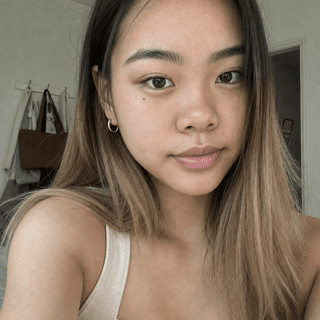
Emma
8 generated videos
- Best for: Founders publishing recurring organic app demos without filming themselves.
- Cost: Check the current pricing and compare it with videos you will actually post.
- Speed: Generation takes minutes of your time, with most of that spent waiting.
- The catch: It does not make spoken-avatar videos or connect you with human creators.
The workflow begins with a reference from a library of more than 50,000 organic app videos, organized by format, hook, and app category. Wade then re-performs the face moment with your recurring character, burns in the hook text, and matches your demo cut to the reference structure.
That said, Wade is the wrong choice when a real person must speak, give a personal testimonial, or post from an established creator account. It is also not a manual editor for unusual animations or a paid-ad manager.
The fastest route to human creators
Collabstr is the best marketplace option here for a solo founder because you can inspect packages and prices before hiring. UGC-style content means a person films a casual, customer-like video rather than a polished commercial, but you still need to screen for app-demo ability instead of accepting a portfolio filled with physical products.
- Best for: Hiring several TikTok, Reels, or Shorts creators without an enterprise contract.
- Cost: Plan around $150 to $300 per video before bonuses for an initial test.
- Speed: Self-serve search and upfront packages make same-week hiring possible when creators are available.
- The catch: You manage briefing, revisions, deadlines, posting, and creator reliability.
The budget range lines up with what creators and app founders have described. One creator told an app owner that beginner videos commonly start around $150 to $200. App founders also test lower base payments with upside, including $50 to $100 per camera-app video plus exposure bonuses.
For an ongoing relationship, one mobile-app founder offered $300 per month upfront plus $200 per 100,000 organic views, capped at $5,000 monthly. View bonuses can align incentives, but the catch is that you need to define which account posts, the measurement window, and whether deleted videos count.
A useful creator brief should be built around one action, such as importing a photo or completing one scan, because that gives the video a clear job. Wade’s template gives you the exact fields without importing paid-ad requirements that organic posts do not need: https://www.wade.so/blog/ugc-creator-brief-template
The editing option for footage you already have
Captions is the practical choice when you are willing to film yourself or already receive raw clips from creators. It handles production tasks such as subtitles and AI-assisted edits, but it does not solve creator sourcing or decide which app moment deserves a video.
- Best for: Founders editing their own talking clips, demos, or creator submissions.
- Cost: Max is $24.99 monthly; Scale plans begin at $69.99 monthly.
- Speed: You can edit the same night if your source footage and script are ready.
- The catch: You remain responsible for filming, concepts, hooks, demos, and publishing.
A Product Hunt reviewer said they used Captions for subtitles across all brand and product videos and liked its styling and voice recognition. That is useful evidence for editing, but it is not evidence that the app will find a winning concept or make a generic AI presenter perform.
Captions makes sense when editing is genuinely the slow step. If you are staring at an empty project because you do not know what to film, an editing subscription will leave the main problem untouched.
The flexible route for a defined freelance project
Twine fits a different kind of job because it behaves more like general project hiring than browsing ready-made creator packages. It works best when you need one freelancer to shoot, edit, or package a specific batch and you can describe the deliverables precisely.
- Best for: A one-off batch requiring a creator, editor, or both.
- Cost: Posting requires no subscription; protected payments carry a percentage fee.
- Speed: Twine says matching can begin within 24 hours, but delivery depends on project scope.
- The catch: You must evaluate portfolios and define every deliverable yourself.
Twine estimates mid-level UGC creator day rates around $380 to $520. That can make sense when one organized day produces several reusable clips, although it is harder to justify when you only need one simple organic app video.
A precise scope would include eight raw face clips, eight matching app demonstrations, vertical 1080-by-1920 exports, captions, and two revision rounds. Avoid vague deliverables such as “viral videos,” because the freelancer cannot guarantee distribution.
Which one to pick
MakeUGC remains the better choice when your current MakeUGC workflow already produces a format that performs on your accounts, at a cost and turnaround you understand. Before migrating, check its current pricing at https://www.makeugc.ai/pricing, divide the charge by videos actually posted, and only move if a specific bottleneck remains.
- Choose Wade: In the product, select an app-specific idea, upload one clean screen recording, and generate a recurring hook-plus-demo format.
- Choose Collabstr: Hire three creators at roughly $150 to $300 each and compare delivery quality before offering monthly work.
- Choose Captions: Film three clips yourself tonight, then test whether faster subtitles and editing increase your posting cadence.
- Choose Twine: Post one tightly scoped batch when you need freelance filming or editing rather than an ongoing content system.
- Stay with MakeUGC: Keep it when your own account data shows its existing output is already doing the job.
Learn more about this topic with AI
 Ask ChatGPT
 Ask Claude
 Ask Perplexity